 The My VevaMD app
Your care, in your pocket.
Message your doctor, book your coach and follow every shipment to your door. Your whole plan lives in one app, and you sign in with a one-time code. No password to remember.

Free on iPhone and Android. Already a member? Sign in with the mobile number or email from your intake.
1 / 10 · Home
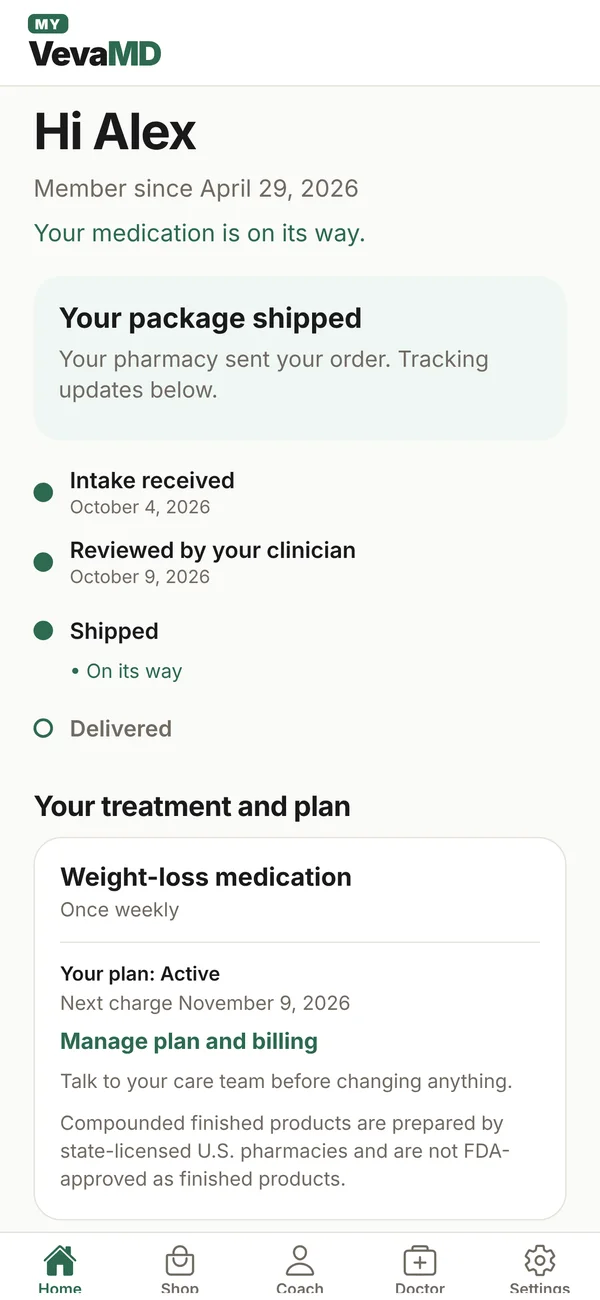
Know exactly where you stand
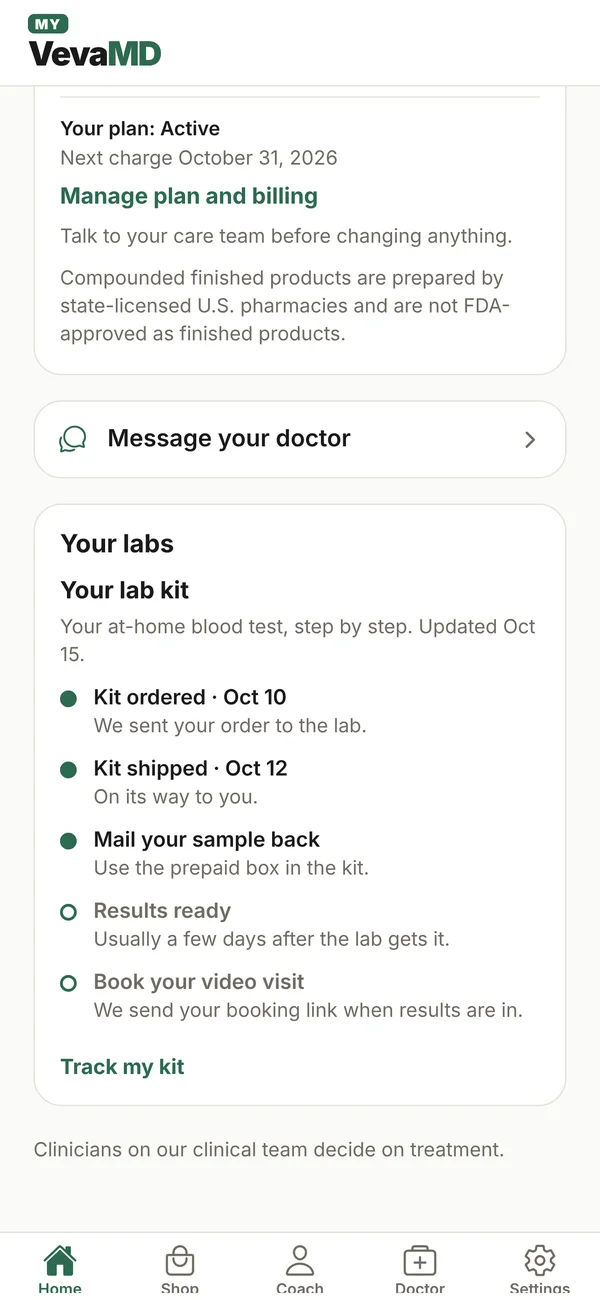
Your home screen shows every step, from intake and doctor review to shipped and delivered. No guessing, no "any update?" emails.
Showing screen 1 of 10: Know exactly where you stand
What is the My VevaMD app?
My VevaMD (listed as “VevaMD: Weight Loss & Hormones”) is VevaMD’s free app for members on iPhone and Android. It puts your telehealth care in one place: message your licensed clinician, book a 20-minute health coach call, follow your order from doctor review to delivery, track your at-home lab kit, check in, log your weight, get dose-day reminders, and skip, pause or cancel your plan. You sign in with a one-time code and unlock with Face ID or your fingerprint. No ads, no tracking, no in-app purchases.
Everything your care needs, one tap away
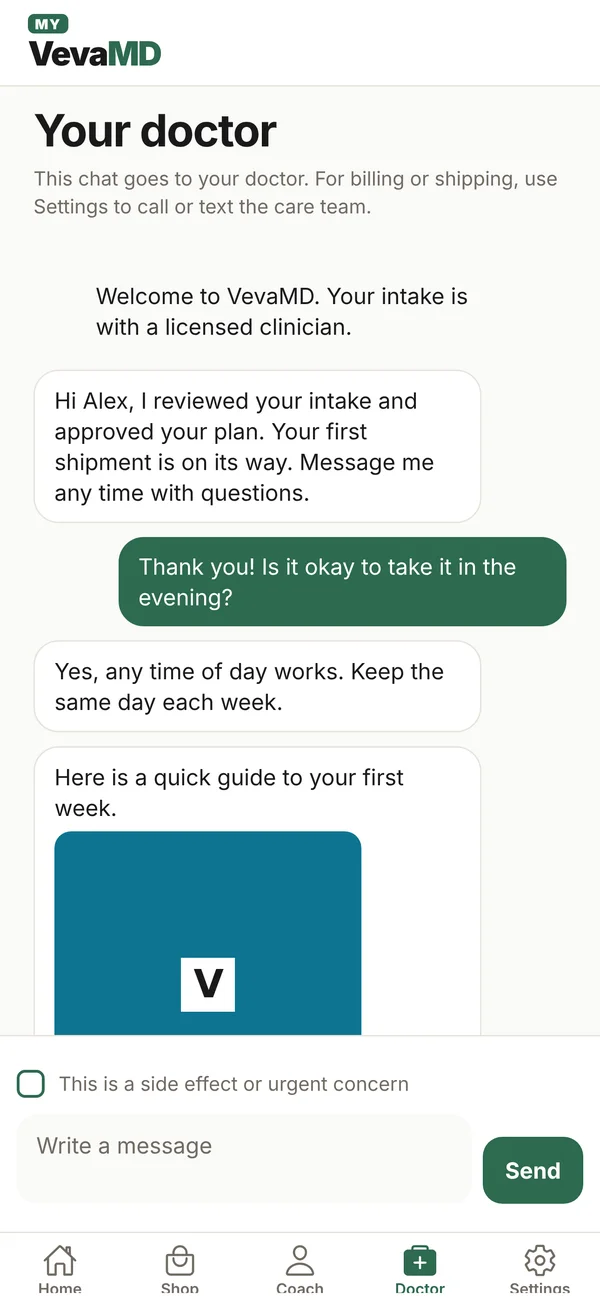
Your doctor, on your phone
Message your clinician directly and get answers in the app. No phone tag, no waiting room.
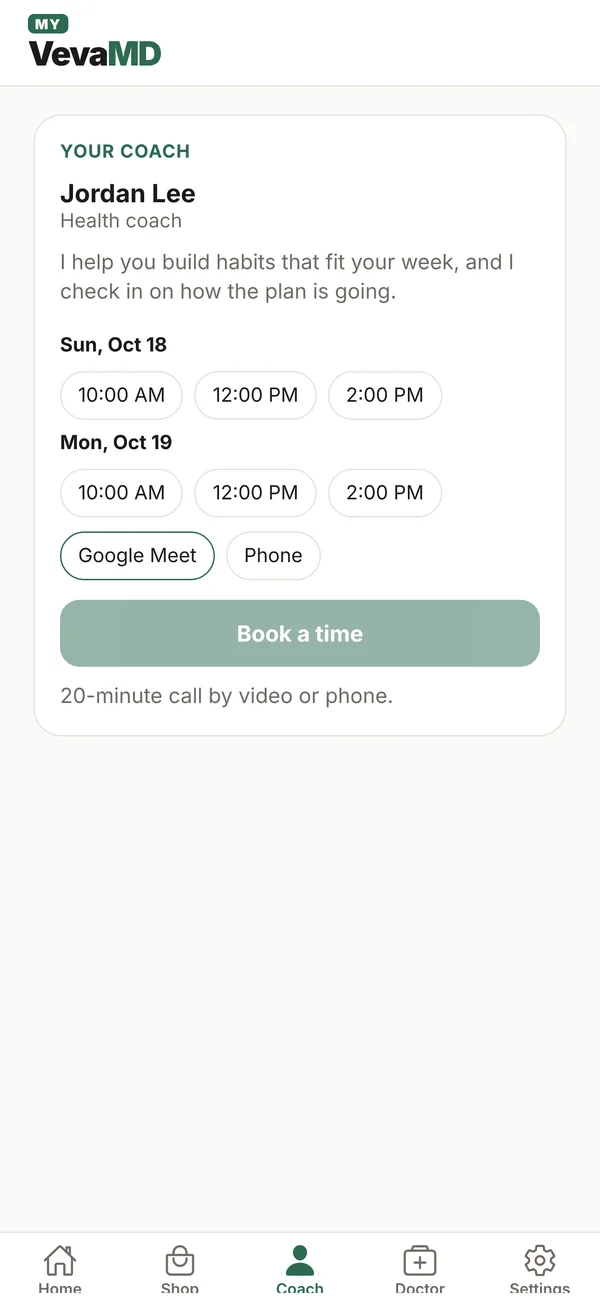
A coach in your corner
Book a 20-minute call with your coach by video or phone.
Every step, start to door
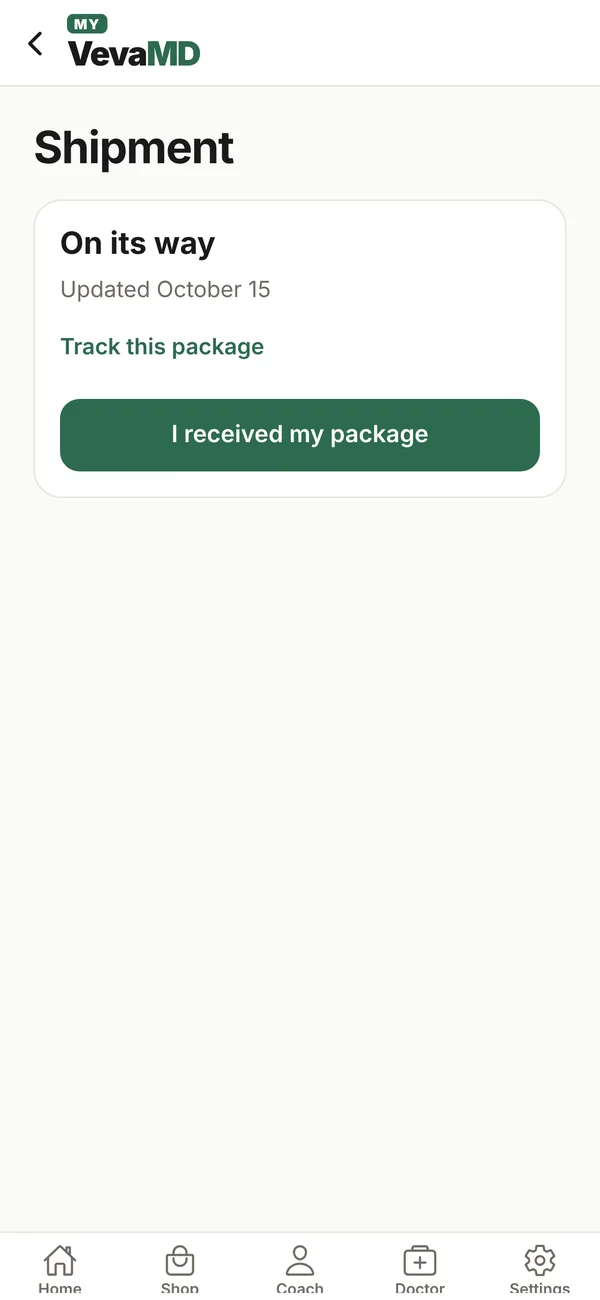
See exactly where you are, from intake and doctor review to shipping and delivery, with tracking built in.
Stay on track
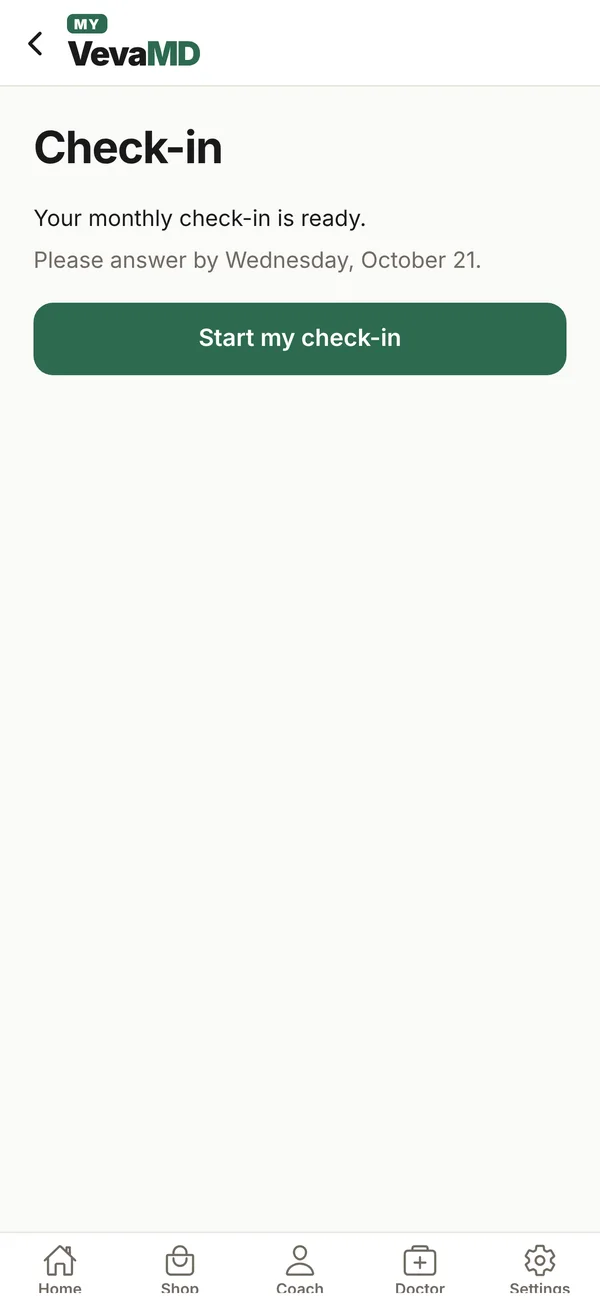
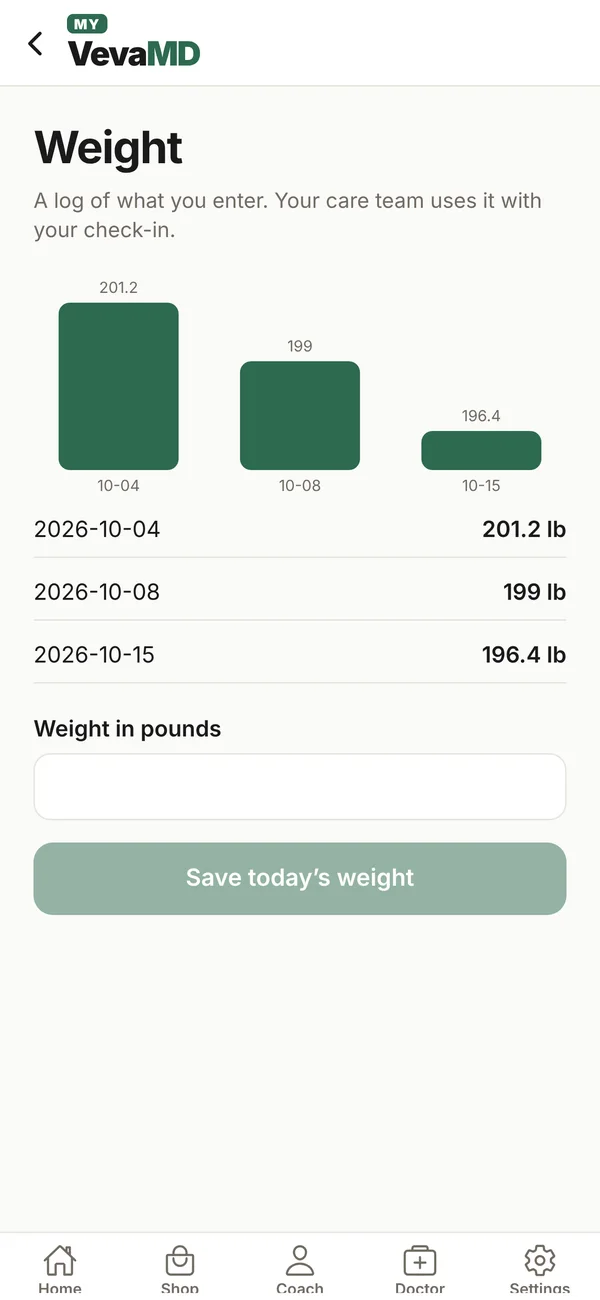
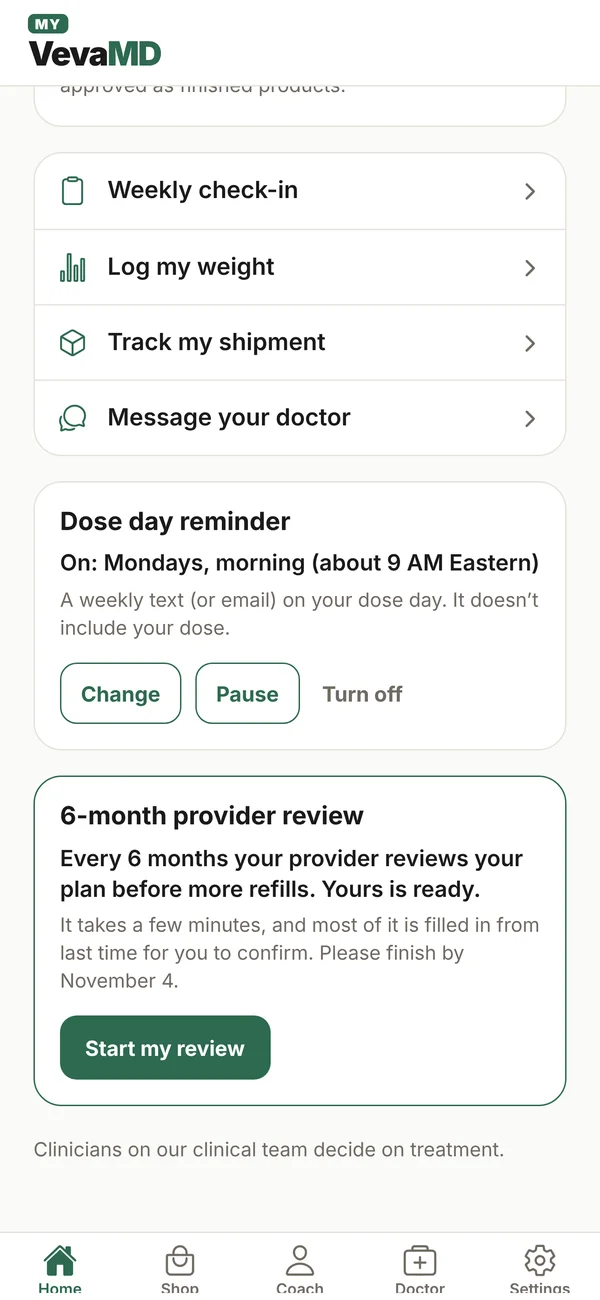
Weekly check-ins, a simple weight log and dose-day reminders keep your plan moving.
Labs made easy
Follow your at-home kit step by step, or upload results you already have.
Your plan, your way
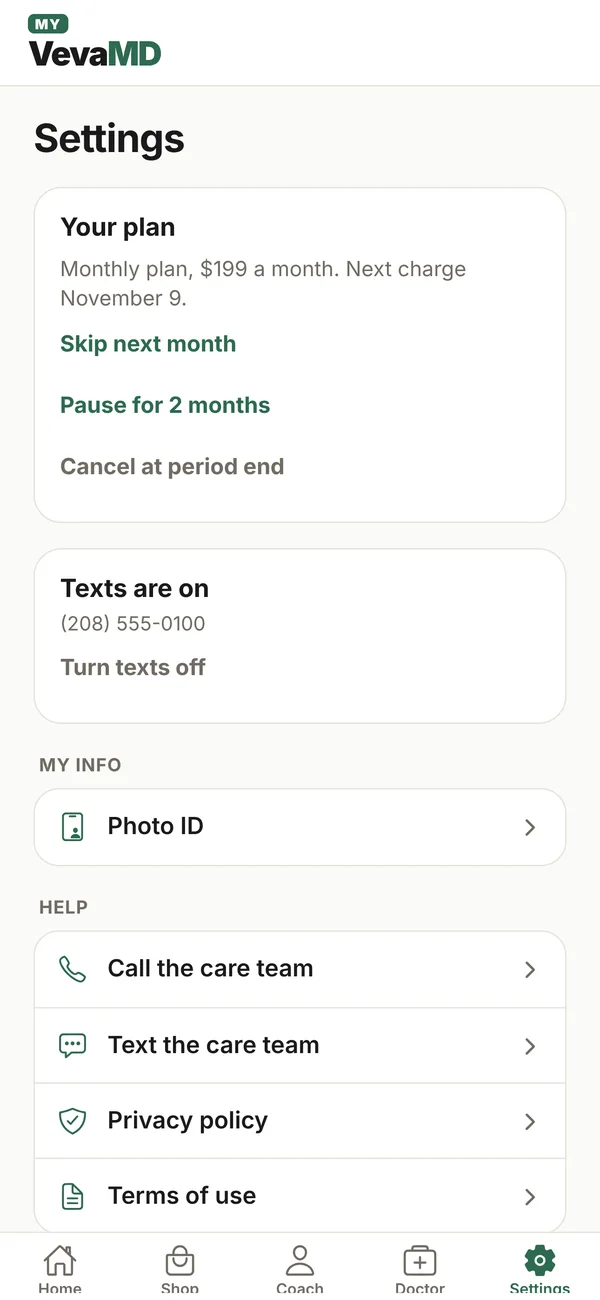
Skip a month, pause, or cancel at period end, right in Settings. No calls, no forms.
Add care as you go
Start another program, like hormone therapy, intimacy or longevity. A licensed clinician reviews every request.
Your health stays yours
No password to remember
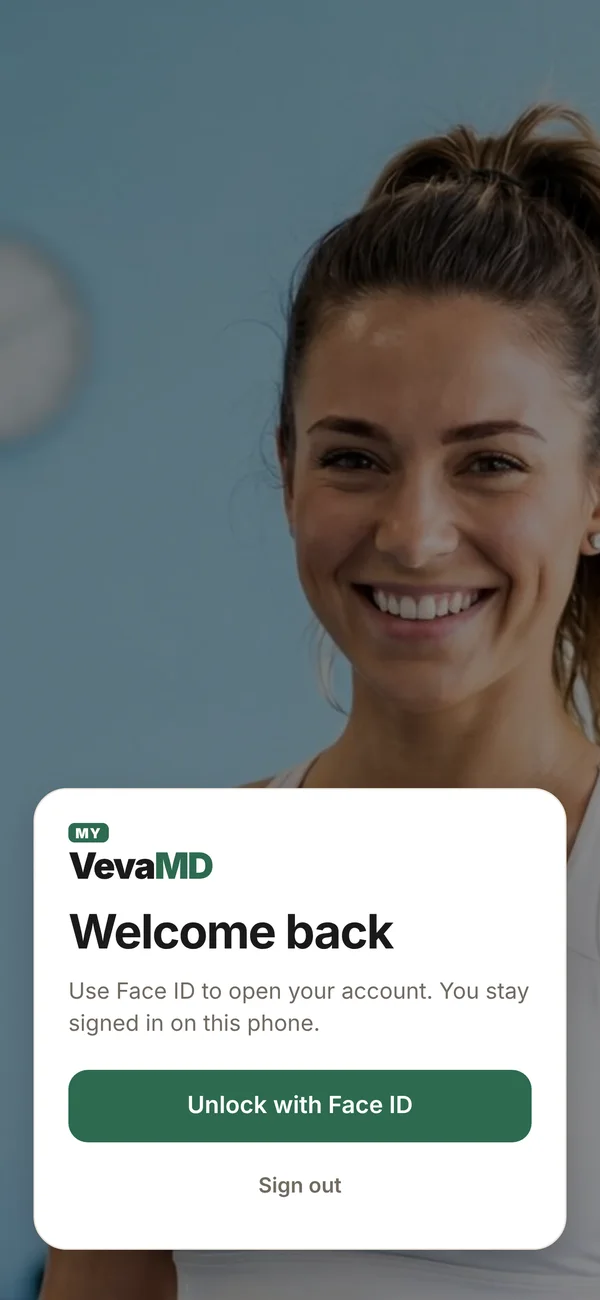
Sign in with a one-time code, then open the app with Face ID or your fingerprint.
Nothing private on your lock screen
Alerts never show health details on your lock screen.
No ads. No tracking.
The app has no ads and no tracking.
Three steps and you’re in
- 1
Download My VevaMD
Free on the App Store and Google Play.
- 2
Sign in with a code
Enter the mobile number from your intake and type the 6-digit code we text you. Email works too.
- 3
Turn on Face ID or fingerprint
Next time, the app opens with a glance or a touch.
Not a member yet?
Start with a short online visit. A licensed clinician reviews it and decides whether treatment is right for you. Once you’re a member, the app keeps everything in one place.
App questions
Is the My VevaMD app free?
Yes. The app is free to download on the App Store and Google Play, with no ads and no in-app purchases.
Who can use the app?
The app is for VevaMD members. Sign in with the mobile number or email from your intake. Not a member yet? You can browse treatments in the app, or start your online visit on vevamd.com.
Do I need a password?
No. You sign in with a one-time code we text you (or email you), then unlock the app with Face ID or your fingerprint.
Can I still use the website?
Yes. Your My VevaMD page at vevamd.com/my shows the same plan, messages and shipments. Use whichever is easier.
Can I message my doctor in the app?
Yes. Message your clinician directly in the app and get answers there. For an emergency, call 911.
Which phones does it work on?
iPhone (App Store) and Android (Google Play), in the United States.
What can I do in the My VevaMD app?
Message your licensed clinician, book a 20-minute health coach call by video or phone, follow every step from doctor review to delivery, track shipments, follow your at-home lab kit or upload your own labs, do check-ins, log your weight, set dose-day reminders, and skip, pause or cancel your plan in Settings.
Can I see my lab results in the app?
The app tracks your at-home lab kit step by step, tells you when results are ready, and lets you upload labs you already have as a photo or PDF. Results open on your My VevaMD page at vevamd.com/my.
Can I start a new program in the app?
Yes. The Shop tab lets you add another program, like hormone therapy, intimacy or longevity. A licensed clinician reviews every request, and checkout happens securely on vevamd.com.
Is my health information private in the app?
Yes. You sign in with a one-time code and unlock with Face ID or your fingerprint. Notifications are optional and never show health details on your lock screen. The app has no ads and no tracking.
How do I cancel or pause my plan from the app?
Open Settings, then choose Skip next month, Pause for 2 months, or Cancel at period end. No phone call needed.
Can I delete my account?
Yes. Go to Settings, then Delete account, or visit vevamd.com/delete-account. Deleting your account does not cancel an active plan, so cancel the plan first.